How do I install the desktop app?
Download it from Timerfly, open the file, and sign in with your Timerfly email and password.
- 1In Timerfly, open Settings → Desktop app (employees: the link in your invite email, or Account & security in your name menu).
- 2Click Download for Windows or Download for Mac.
- 3Open the downloaded file. On Windows, if you see “Windows protected your PC”, click More info → Run anyway.
- 4The app opens. Sign in with the same email and password you use on the website.
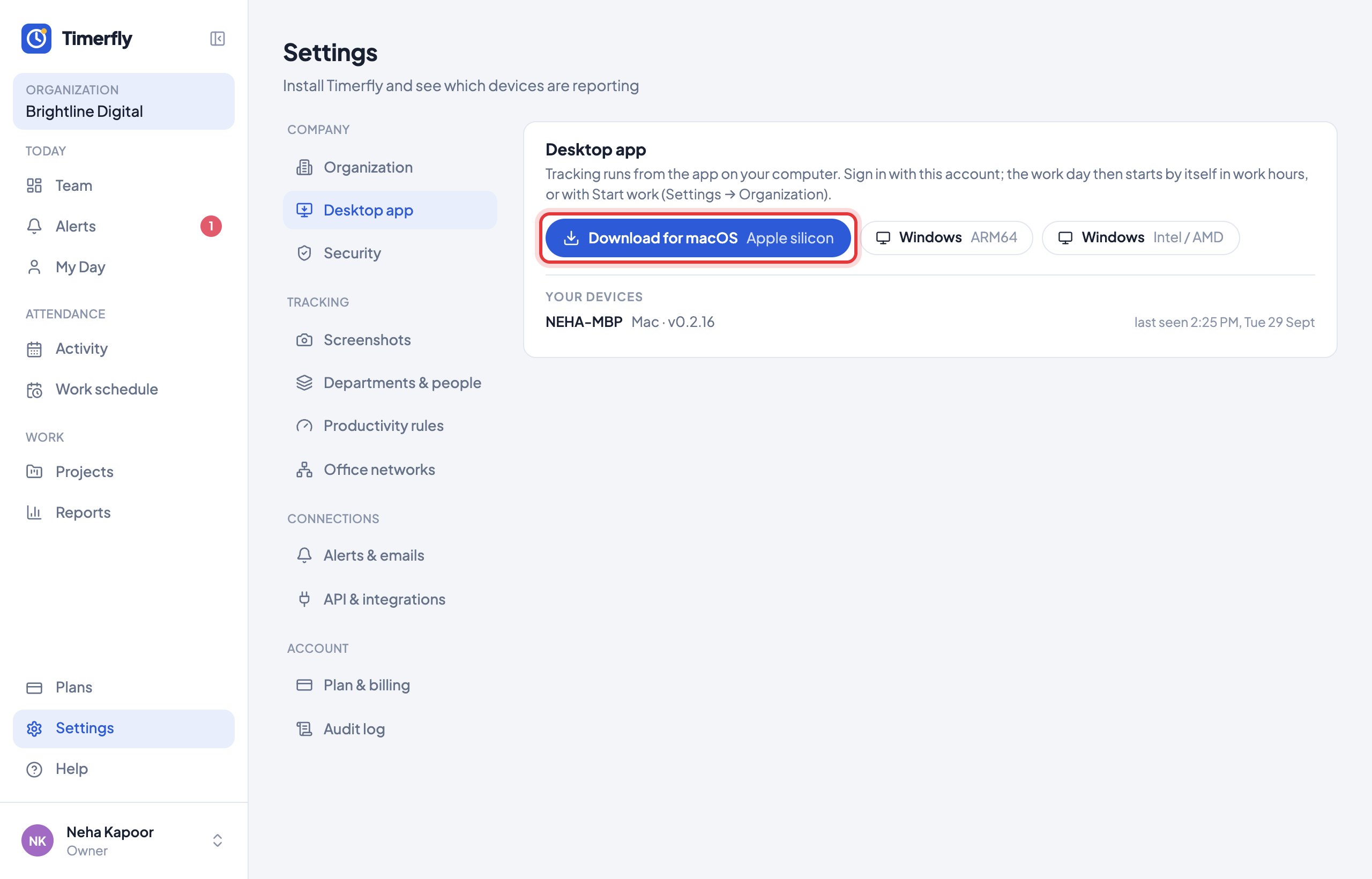
It works on Windows (most PCs, and Windows on ARM laptops) and on Macs with Apple silicon (M1 or newer). An Intel Mac build and a Linux build are on the way — write to us if you need one now.
The app starts by itself when the computer starts, and keeps itself up to date.
Still stuck? We’re happy to help.
Ask usMore on getting started
- What is Timerfly, in one minute?
- I just signed up. What do I do first?
- Windows says "Windows protected your PC" when I install. Is it safe?
- Why does the Mac app ask for permissions?
- I got an invite email. What do I do?
- How do I sign in to the desktop app?
- I forgot my password.
- How do I change my password?
- How do I turn on two-factor sign-in?
- How do I reach Timerfly support?
- I belong to two companies. How do I choose one?
New to Timerfly?
Try every feature free for 14 days.