Are screenshots taken?
Only if your company turns them on. Then the app takes one every few minutes while you’re active, and you can always see your own on My Day.
- 1Owners and admins: open Settings → Screenshots.
- 2Click Turn on.
- 3Under Every, choose how often.
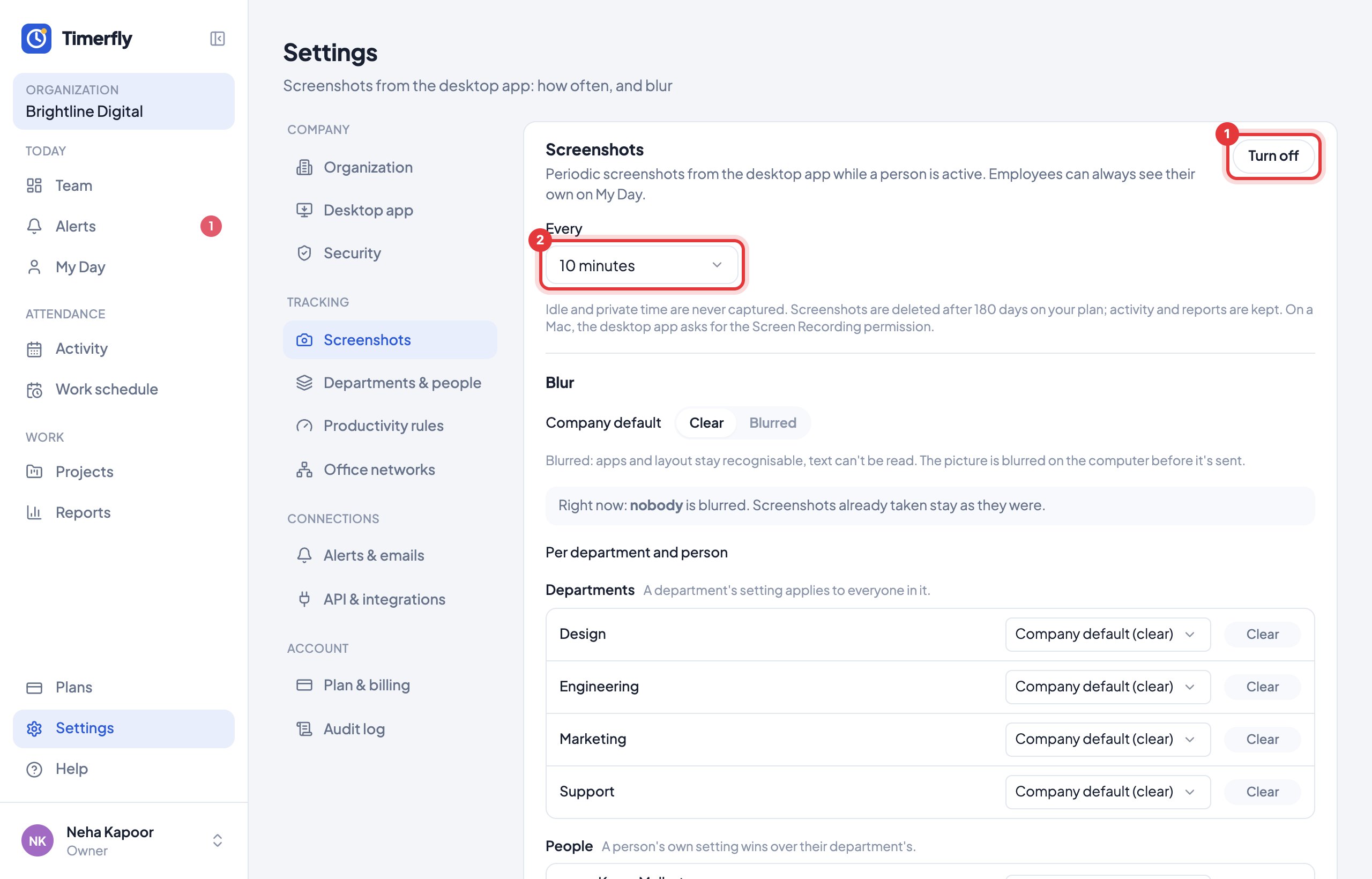
Every 5 minutes or less often on every plan; every 2 or 3 minutes on Business. No screenshots during idle, breaks or private time.
They’re deleted after 45 days on Starter, 90 on Pro and 180 on Business. Activity and reports are kept.
Still stuck? We’re happy to help.
Ask usMore on tracking and privacy
- What does Timerfly record?
- Are window titles recorded?
- Where do I see screenshots? Can I delete one?
- Can screenshots be blurred?
- Can one department or one person have different screenshot or idle settings?
- Can Timerfly show who works from the office and who works remotely?
- Can we allow sign-in only from the office?
- How long is our data kept?
- Do I need to tell my employees?
New to Timerfly?
Try every feature free for 14 days.