How do I answer shift requests?
Under Shift requests on Work schedule: the colleague in a swap clicks Agree or No; then the manager or an admin clicks Approve or Decline.
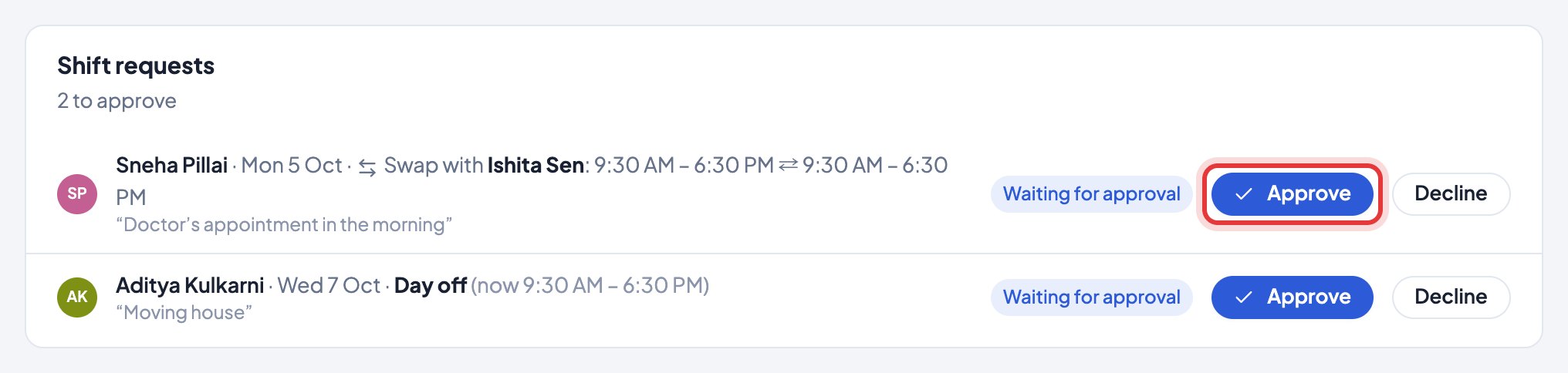
Nobody has to check: the colleague in a swap gets an email, the approvers get the request by email (and chat if connected), and a number on Work schedule in the menu shows how many wait for you.
Only an approved request changes the schedule. A manager can’t approve their own request or a swap they’re part of; an admin does. If admins have made the schedule view-only for managers, only admins approve.
Still stuck? We’re happy to help.
Ask usMore on shifts and schedules
- How do I change our company name or time zone?
- How do I set our working hours?
- We work in shifts. Does Timerfly handle that?
- How do I plan the week on Work schedule?
- How do I copy last week, or start the week again?
- On a night shift, which day does the work count on?
- I changed a shift after the person started work. Are their hours right?
- Can I plan shifts in Excel, or print the rota?
- Can an employee ask for a day off, another shift or a swap?
- Where do I see my shifts?
New to Timerfly?
Try every feature free for 14 days.