Can I be told when someone is late or idle for long?
For owners and admins
Yes. Switch on the alerts you want in Settings → Alerts & emails, and choose where each one goes.
- 1Open Settings → Alerts & emails.
- 2Switch on an alert (like Late start) and set its limit.
- 3Under Send to, choose Email and any chat app you connected.
- 4Click Send test alert to check.
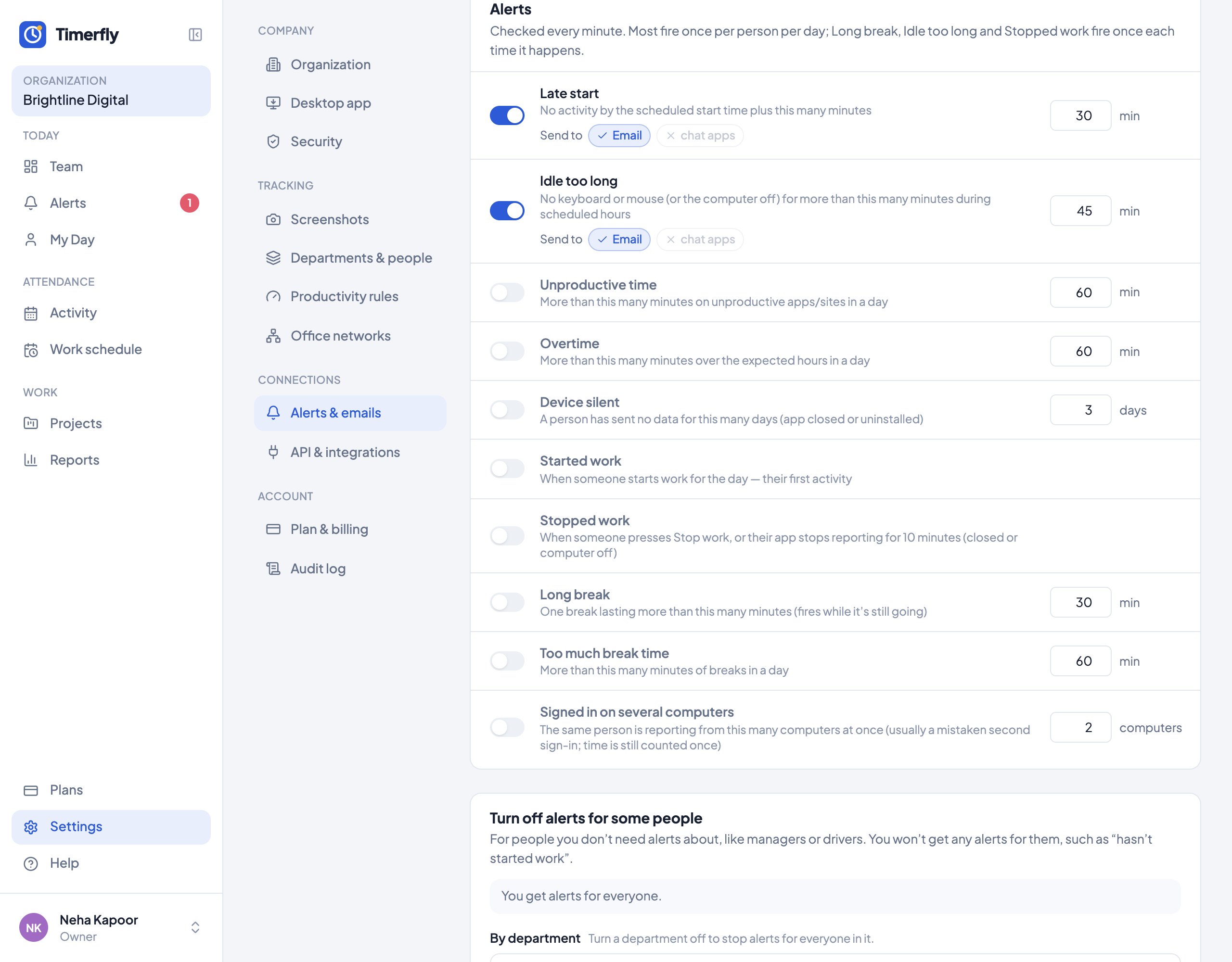
Alerts: late start, idle too long, unproductive time, overtime, long break, too much break time, device silent, signed in on several computers, and started or stopped work. Managers get them for their own people.
Still stuck? We’re happy to help.
Ask usMore on alerts and connections
- Where do I see all alerts?
- How do I stop alerts about some people?
- Can alerts go to Microsoft Teams or Google Chat?
- How do I get alerts in Slack?
- How do I get alerts in a Telegram group?
- Is there an API? Can Timerfly send data to our CRM or payroll?
- Does Timerfly work with Zapier, Make or Google Sheets?
- Who changed a setting?
New to Timerfly?
Try every feature free for 14 days.