How do I read the Activity calendar?
For managers and admins
One row per person, one square per day. Green = worked (darker = more hours), dashed red = absent, coloured = leave, grey = weekend or holiday.
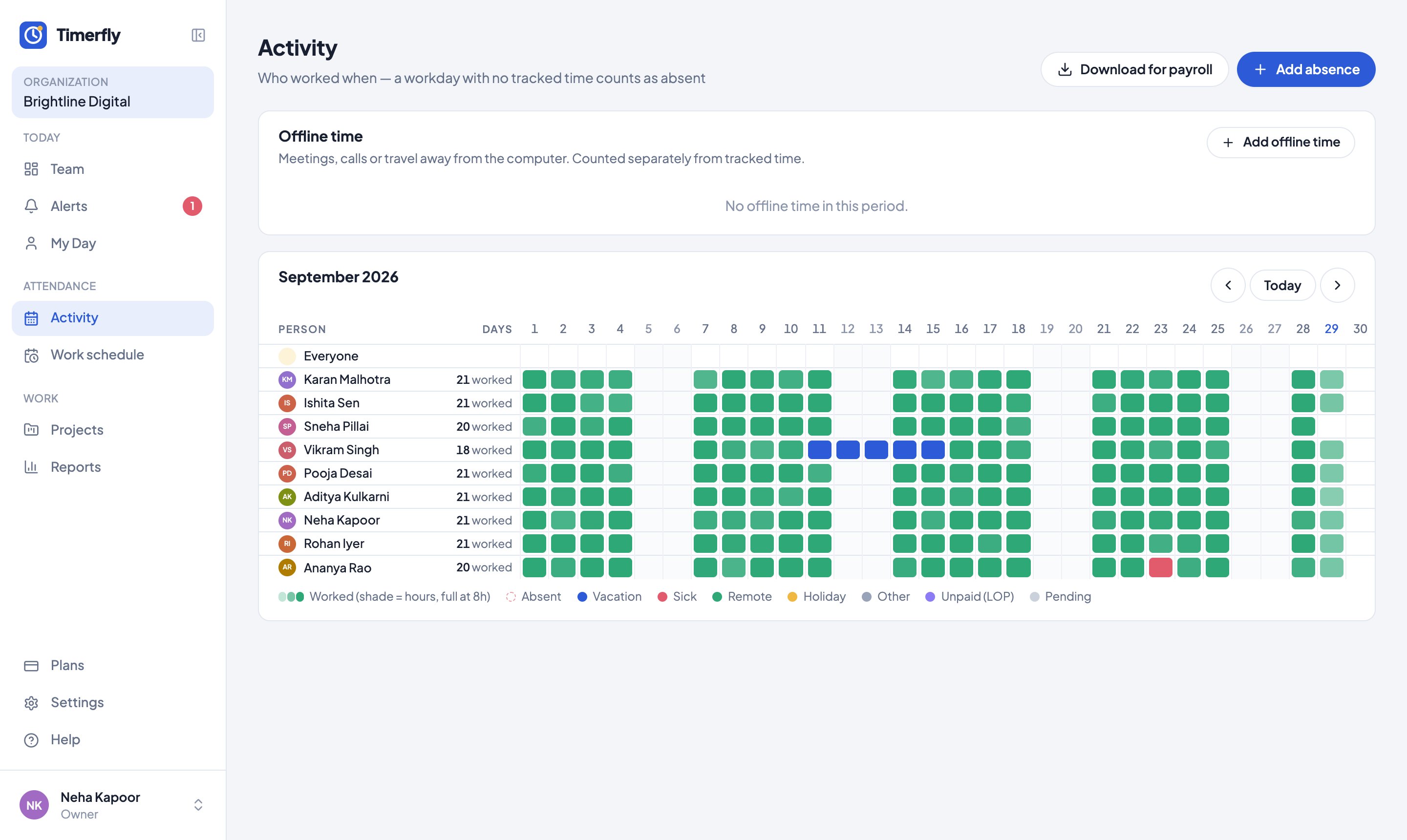
Hover a square for the details; click a green one to open that day. A half square is half a day of leave; a strip along the bottom is short leave.
Still stuck? We’re happy to help.
Ask usMore on attendance and leave
- Why was I marked late?
- Why does it say absent?
- What does "Left early" mean?
- How do I ask for time off?
- How do I approve leave?
- Can someone take half a day, or just a few hours, off?
- How do I add public holidays and festivals?
- How do I mark leave without pay (LOP)?
- How do I add a meeting or field work?
- Someone worked on their day off. Does it show?
New to Timerfly?
Try every feature free for 14 days.